
3D nesting for additive manufacturing
Fit more parts in every build.
Load your parts, press pack, and 024Nester nests them inside your build volume - tight and collision-free, checked on the real geometry.
Playing in 1080p, no sound.
Windows 10+ · 169 MB · Free trial · 100% local processing
- Any build volume you define
- STL & OBJ input
- Metric / imperial
- EN · SR · DE
- 100% local processing
Features
Built for production, not just demos
Works on the real 3D geometry, not just bounding boxes. You define the build volume, so it fits whatever you print on.
Automated nesting
AI-driven packing algorithm finds the optimal arrangement for every part.
Parallel multi-core
Multiple packing combinations are evaluated in parallel across all CPU cores, so the best layout is found faster.
Quantity by filename
Add a "(12 PCS)" suffix to a filename and 024Nester automatically duplicates the part 12 times in the build.
Your build volume
Enter your own build volume, layer thickness, part gap and no-print zones - the nesting adapts to it, whatever you print on.
Orientation control
Define allowed rotation and tilt, set top/bottom surfaces, and assign print priority so critical parts sit in lower layers.
Small-parts protective box
Tiny parts can be packed into a protective box automatically, making post-processing far easier.
Previous-job analysis
Point 024Nester at a folder of past jobs - it re-nests the same STL parts and reports your savings versus the original packing.
Build utilization
Live readout of build volume usage so nothing goes to waste.
Batch processing
Drop hundreds of parts at once - 024Nester packs them all together.
Collision-free
Guaranteed valid packing with no overlaps or unsupported parts.
CAD import
Import STL and OBJ files straight from your CAD workflow.
100% local processing
Every calculation runs on your machine. No uploads, no cloud - your 3D models never leave your computer.
Results
See the difference
The same 225 parts in the same 340 x 340 x 315 mm chamber. Drag the handle: hand-packed on the left, nested by 024Nester on the right.
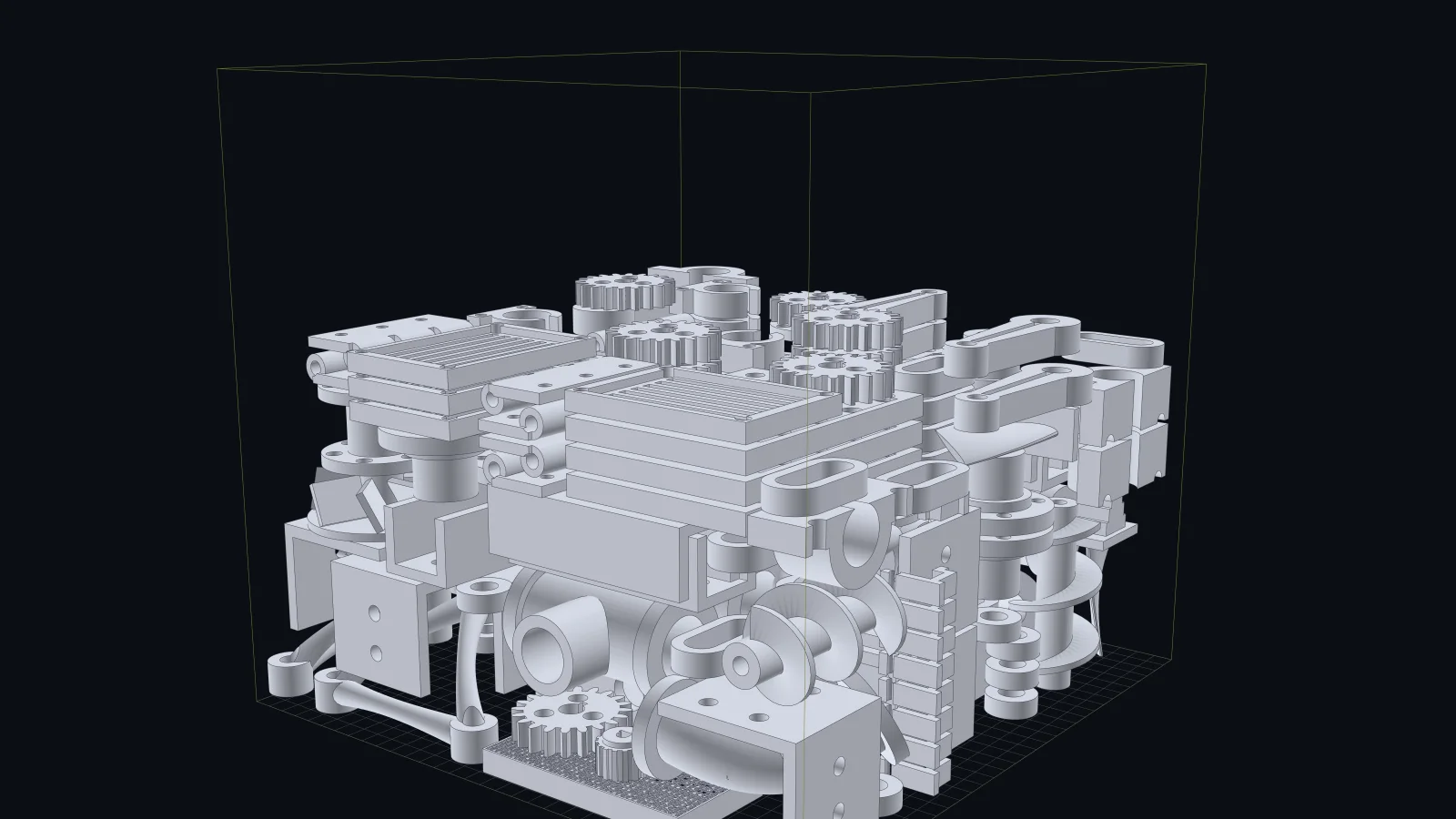 After · 024Nester · 193 mm
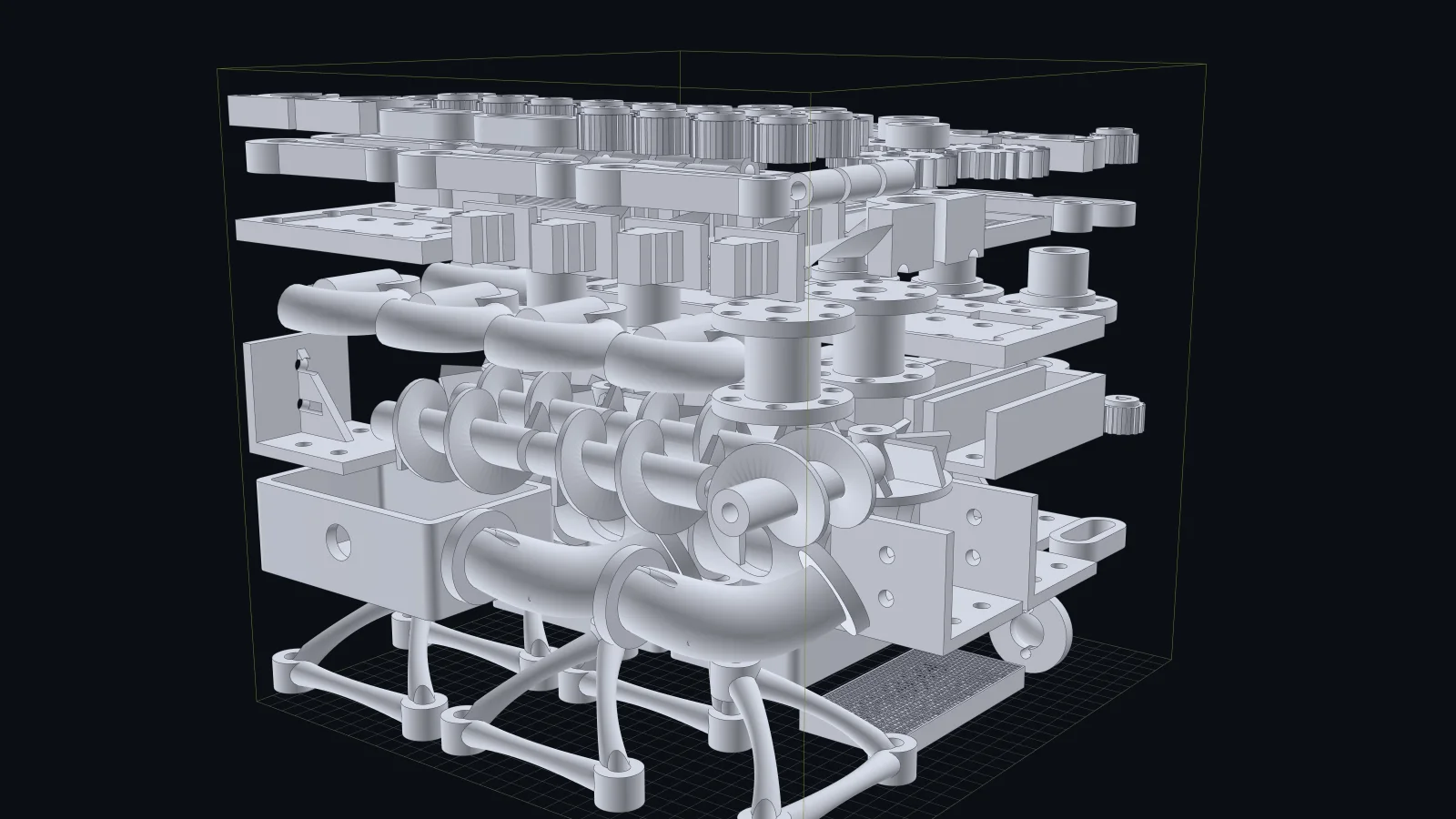 Before · By hand · 308 mm
Up to 20%
Less powder, shorter print
~20 min
Setup, instead of 60+
0
Collisions, checked on real geometry
Free trial
Try 024Nester free
No sign-up, no email address, no account. Download it and start nesting.
We do not ask for your details and store nothing that identifies you - see our Privacy Policy.
Installing accepts the Licence Agreement, including the warranty disclaimer: 024Nester proposes a layout - checking it before you print is on you.
Windows 10+ · v2.0.323 · 169 MB · released 2026-09-23
024nester-trial.zip - unzip and run 024Nester_setup_<version>.exe
Windows 10 / 11, 64-bit · 8 GB RAM minimum (16 GB recommended) · no internet needed except for licence and update checks
SHA-256 of the installer:
f3bccb1d90c144504243bf97b1e5fa1c9ec044de44a0ec8ae6b870f38eda5c30
FAQ
Frequently asked questions
Short answers to what people ask before downloading.
What do I get for free?
The complete nesting engine: load your parts, orient them, run the packing and the settling, inspect the result and the statistics - unlimited, with no registration. The only thing the free version does not do is save or export the packed layout.
Which file formats does it read?
STL is the main input format (binary and ASCII), which is what part programs export for additive manufacturing. Nested layouts are saved as project files you can reopen, and results can be exported as positioned geometry or as sliced layer output.
Do I have to enter my own build volume?
Yes, and that is the point: you type in the build volume, the layer thickness, the gap between parts and any zone that must stay empty. Nothing is hard-wired, so it fits whatever you print on - and you can keep several setups side by side.
Are my model files uploaded anywhere?
No. All nesting happens on your own computer and your files never leave it. The only thing that goes over the internet is a short license check.
How big can a job be?
Hundreds of parts per build are normal. Packing runs many attempts in parallel across your CPU cores and keeps the best layout, so more cores means more attempts in the same time. Very large jobs simply take longer - you can stop at any moment and keep the best result found so far.
How do I get a license?
A license unlocks saving and exporting for the period you choose, on your machine. Email us and we will sort it out - every paid plan has a 30-day money-back guarantee.
Contact
Questions about 024Nester?
Production questions, custom integrations or technical support - reach out directly.
[email protected]